Choosing your first DAW can feel like a huge decision. Ableton Live, FL Studio, Cubase, Logic Pro and Bitwig Studio all promise to give you the tools you need to make music, but the way they look and feel can be completely different.
If you are starting out, it is easy to fall into an endless search: watching comparisons, asking what software your favourite artist uses and worrying that one wrong choice will hold you back.
The reality is much simpler.
Any serious modern DAW can be used to make music at a professional level. The real question is more practical:
Which DAW makes you want to open your computer and start creating?
This guide will help you understand what to look for before choosing, how the most common DAWs differ, and why FL Studio and Ableton Live are the two programs we focus on most inside DIM3NSION Academy.
1. There Is No Perfect DAW for Everyone
When someone asks for the best DAW, the answers are almost always different. One producer will defend FL Studio. Another will say Ableton is faster. Someone else will insist that Cubase or Logic is more complete.
That happens because most producers recommend the system they learned on. After years of use, its shortcuts, tools and limitations become natural. The software stops feeling like an application and becomes part of the way they think.
That does not mean there is one correct answer.
Professional DAWs do not all solve problems in the same way. Their instruments, effects, editing tools, MIDI workflows and arrangement systems are different. But they can all record, edit audio and MIDI, host plugins, automate, mix and export a professional production.
You can produce trance, techno, house, pop, hip-hop or cinematic music in any of them. Your creativity will not be blocked because you chose Ableton, FL Studio, Cubase, Logic or Bitwig.
What can change is the speed and comfort with which you turn an idea into a finished track.
2. The Interface Matters More Than It Seems
If you have never used a DAW before, start by looking at real workflow videos. Do not only watch feature lists. Watch someone create a project, load an instrument, program drums, edit a melody, arrange a section and add automation.
Ask yourself simple questions.
- Does the interface feel attractive and organised?
- Do I understand where the main tools are?
- Do I like the way a song is built?
- Does MIDI editing look comfortable?
- Can I imagine spending several hours inside this environment?
Being attracted to the interface is not superficial. When you are learning, you will spend hundreds of hours looking at it. If it feels confusing or uninspiring from the beginning, you may waste energy fighting the software instead of learning music production.
You do not need to understand everything you see. You only need to notice which program seems to match your way of thinking.
3. Try Before You Buy
The best way to choose is to install trial versions and actually work with them. At the time of writing in September 2026, Ableton offers a 30-day Live Suite trial, Bitwig offers a 30-day trial, Steinberg promotes a 60-day Cubase Pro trial, and Image-Line lets you download FL Studio and try it for free.
Those conditions can change, so always check the official website before making a decision.
You do not need to test five DAWs for months. Choose two that attract you and do the same exercise in both:
- Create a simple drum pattern.
- Program a bassline.
- Write a melody with a virtual instrument.
- Add automation and a few effects.
- Arrange the idea into a basic structure.
After a few hours, you will start to feel where there is less friction. That feeling is often more useful than another comparison video.
4. The Main DAWs You Should Know
You do not need to analyse every DAW that exists. If you are starting, these are some of the most relevant professional options.
Ableton Live
Ableton is one of the most popular choices for electronic music production. Its interface keeps instruments and effects visible in a clear device chain, and it allows you to work in a traditional timeline or with clips in Session View.
It is strong for audio manipulation, automation, resampling, instrument racks, effect racks, loop-based writing and live performance. The workflow can feel unusual at first, but once it clicks, it becomes very fast.
Ableton Live is available for Windows and macOS.
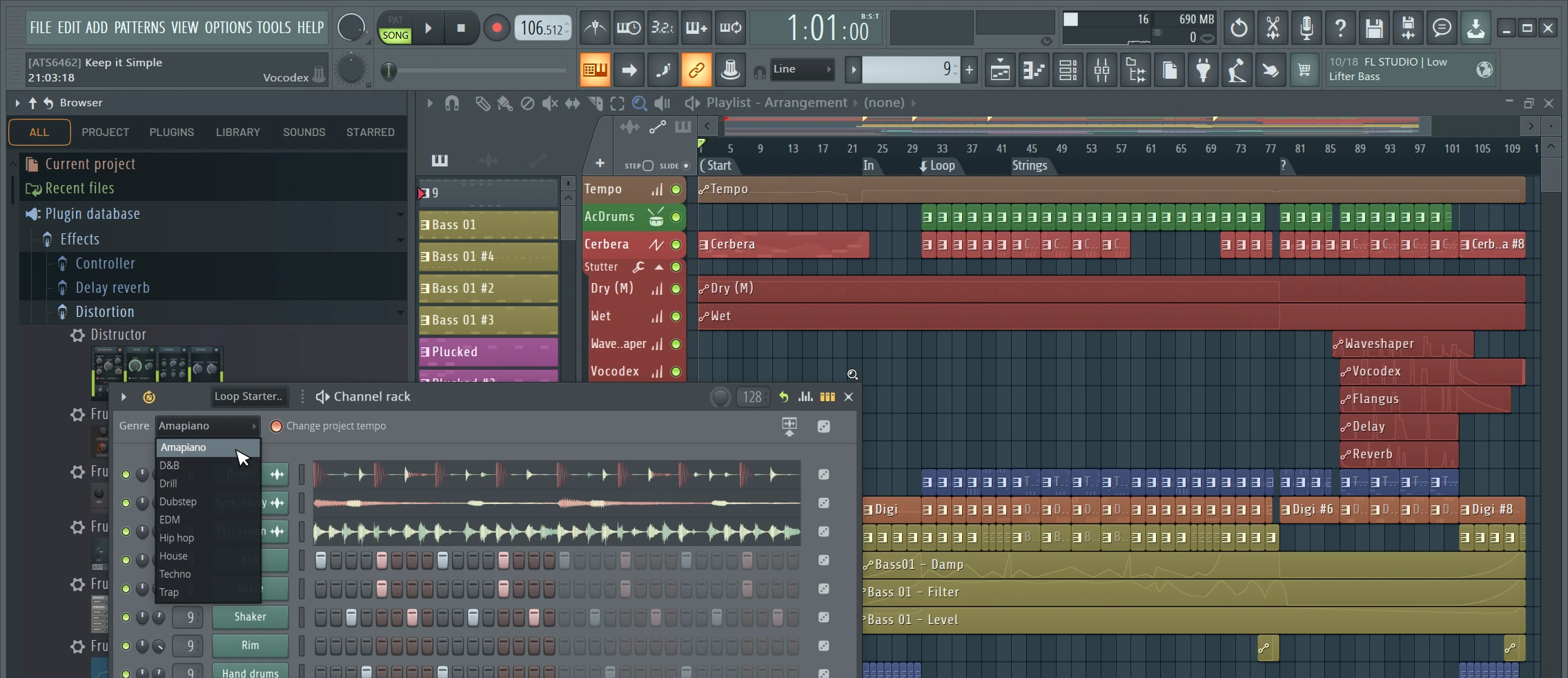
FL Studio
FL Studio is especially popular in electronic music, hip-hop and beatmaking, although it can be used for any genre. Its step sequencer and Piano Roll are two of its most recognised strengths.
The workflow is very flexible. You can build patterns and place them freely in the Playlist. That freedom can feel very creative, but it also means you need to develop good organisation as projects become larger.
One of its biggest commercial advantages is Lifetime Free Updates for purchased editions. FL Studio is available for Windows and macOS.
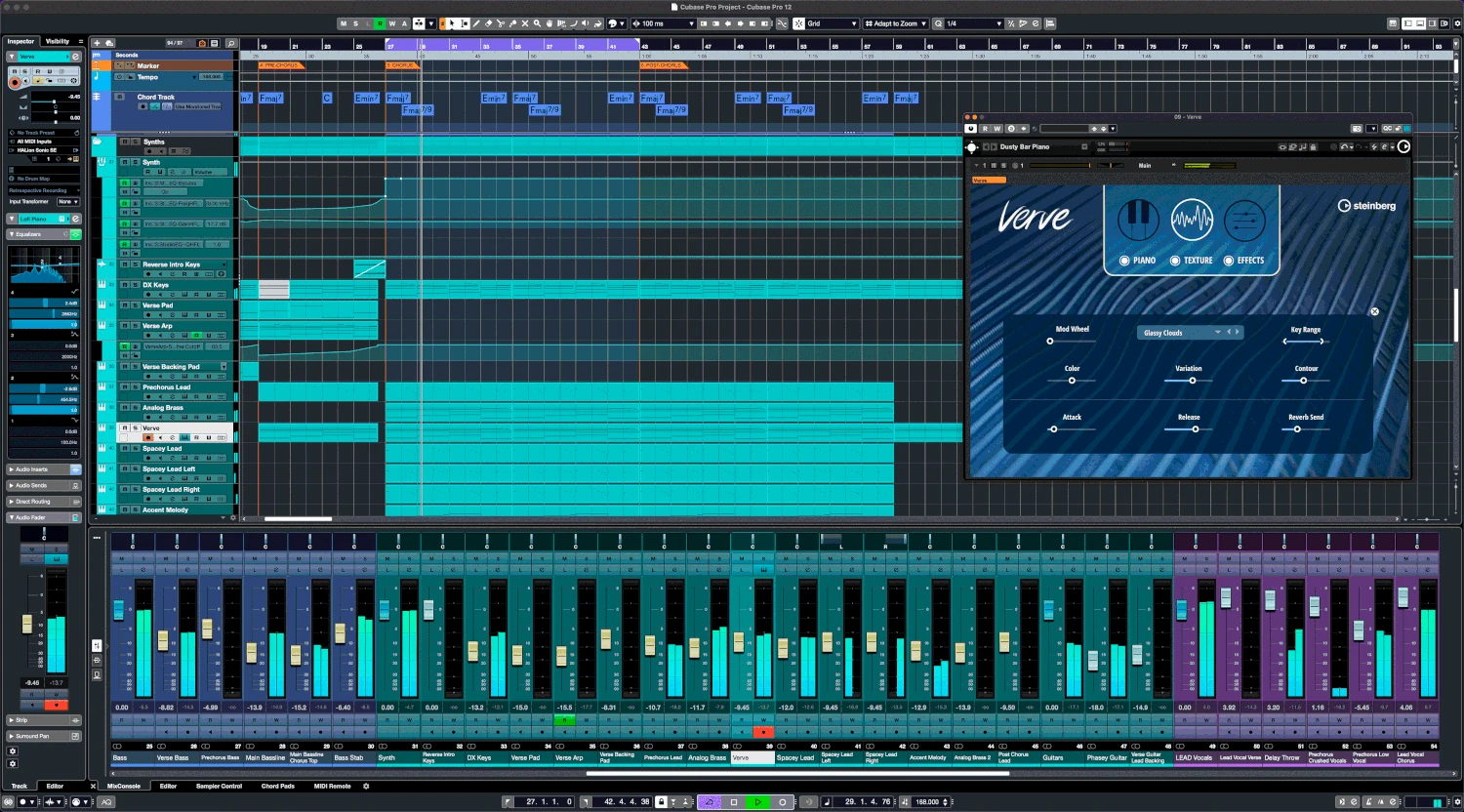
Cubase
Cubase is one of the classic professional DAWs. It has deep tools for MIDI, recording, audio editing, mixing and composition. It is common among producers, composers and people working with complex arrangements or music for picture.
The number of features can make the learning curve feel steeper, but it is an extremely complete environment.
Logic Pro
Logic Pro is one of the most attractive choices for Mac users. It includes a large collection of instruments, effects, loops and production tools, which makes it possible to build a complete studio without buying many additional plugins.
It is strong for electronic production, recording, composition and hybrid work. Its main limitation is obvious: it only exists inside the Apple ecosystem.
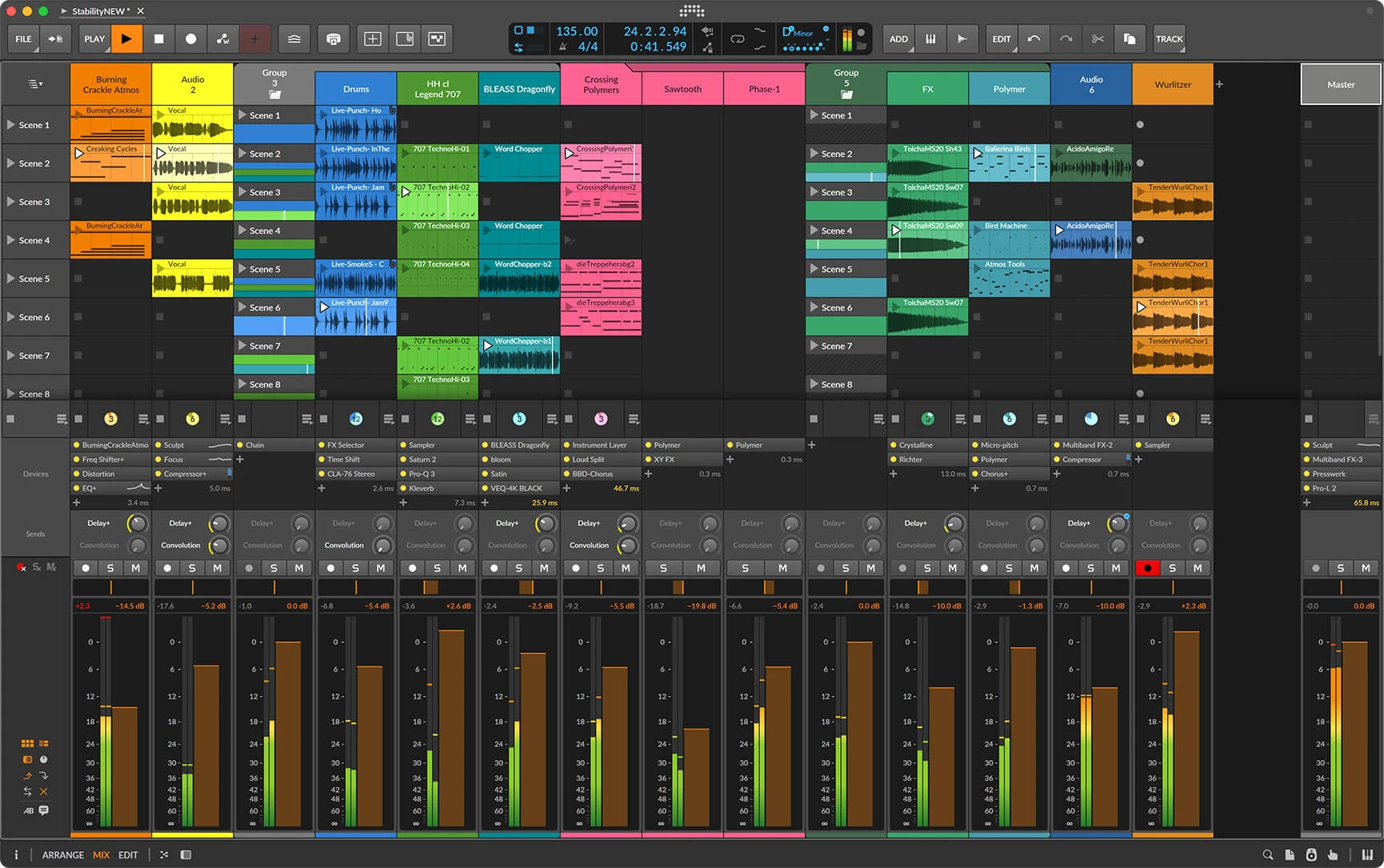
Bitwig Studio
Bitwig shares some workflow ideas with Ableton, combining linear arrangement with clip-based creation. It stands out for modulation, sound design and the ability to build creative systems inside the DAW.
It can be a very interesting option for experimental producers or anyone who enjoys designing sounds. It also runs on Windows, macOS and Linux.
5. FL Studio or Ableton: Which One Should You Start With?
Inside DIM3NSION Academy, we focus especially on FL Studio and Ableton Live because those are the DAWs we can teach from real experience.
FL Studio can be a great choice if you enjoy building ideas with patterns, care a lot about the Piano Roll and like a colourful, flexible interface. For many people, it feels fast and inspiring from the first session.
Ableton may fit you better if you prefer a more contained layout, want to see each track's device chain clearly and value a fast workflow for audio, automation, resampling and racks. It also has an obvious advantage if you want to move your music into a live performance later.
Neither one sounds better by itself. One is not “for beginners” while the other is “for professionals”. You can make your first simple track or a professional release in both.
The difference is how you reach the result.
6. My Experience: More Than 20 Years With FL Studio and the Move to Ableton
I used FL Studio for more than 20 years. It was the DAW behind most of my career, and I used it to produce music released on some of the main labels in the electronic scene.
I knew the program deeply and could work very fast. I did not need to think about where anything was. I simply produced.
After some later updates, however, I started having problems on my own system. Projects became slow, freezes appeared, the computer could lock up and the program began behaving in ways that interrupted the work.
This was my experience with my computer, my projects and my plugins. It does not mean FL Studio is unstable for everyone.
But in my case, I reached a point where I needed to trust my main tool again. That is why I moved to Ableton Live 12.
The change has been very positive. I still do not have the same speed I had after two decades in FL Studio, and it would be unrealistic to expect that immediately. There are still tasks that make me stop and find a new method.
At the same time, I keep discovering advantages in Ableton, especially in manageability, organisation and consistency. On my system it has been extremely stable, and that lets me focus on producing instead of worrying about freezes or unexpected behaviour.
That calm is part of the creative workflow. When you trust your tool, you make decisions faster and stay closer to the musical idea.
7. Do Not Switch DAWs Looking for a Magic Solution
Changing software can be necessary, but it can also become another form of procrastination. A new DAW will not automatically fix a weak melody, a poor arrangement, a bad mix or a lack of production knowledge.
If your current DAW works well, helps you finish songs and does not interrupt your creativity, you probably do not need to change just because another producer prefers something else.
At the beginning, the most important thing is to stay with one tool long enough to learn it. Jumping constantly between DAWs sends you back to the basics again and again. It delays the development of your own workflow.
Choose one, work with it and finish music. Only after enough experience can you know whether a limitation belongs to the software or to a skill you still need to build.
8. So Which DAW Should You Choose?
My recommendation is simple:
- Watch real workflows from several DAWs.
- Choose the two interfaces that attract you most.
- Download the trial versions.
- Create the same simple idea in both.
- Pick the one where the process feels clearer and more inspiring.
- Commit to it for a while and learn its native tools.
If you are mainly deciding between FL Studio and Ableton, you cannot make a terrible choice. Both can take you from your first beats to a professional career.
The best DAW is not the one that wins a comparison. It is the one that disappears while you make music.
9. Final Words
Your first choice does not need to be permanent. Your needs will change, your music will evolve and maybe, years from now, another DAW will fit your way of working better.
I moved to Ableton after more than 20 years in FL Studio. The experience did not disappear. Knowledge about composition, synthesis, arrangement and mixing still applies. Only the tool changed.
Do not spend months searching for the perfect DAW. Try, choose and start finishing music. The experience you gain will matter far more than the name on the screen.
If you want to learn music production with real Ableton Live and FL Studio workflows, receive professional feedback on your tracks and access resources built from direct industry experience, you can join the DIM3NSION Academy community.