One of the questions I get asked the most as a producer is which plugins I use to create my sounds, mix my tracks and finish my productions.
After more than 20 years making music, I have tried a huge number of synthesizers, reverbs, equalizers, compressors and effects. Some were important during a specific period; others still appear in almost every project I work on.
In this article I want to share the 10 plugins I currently use the most. The order is not a ranking from best to worst. I do not think it makes much sense to compare a synthesizer with a reverb or an equalizer. This is simply a selection of tools that are part of my daily workflow as DIM3NSION.
It also does not mean that you need to buy these ten plugins to produce professional music. The tool matters, but what really makes the difference is knowing it, understanding what it adds and knowing when to use it. A simple plugin that you truly understand is usually more useful than a huge collection of tools you barely know.
These are my favorites, and the reasons why I continue using them.
1. NEXUS 5
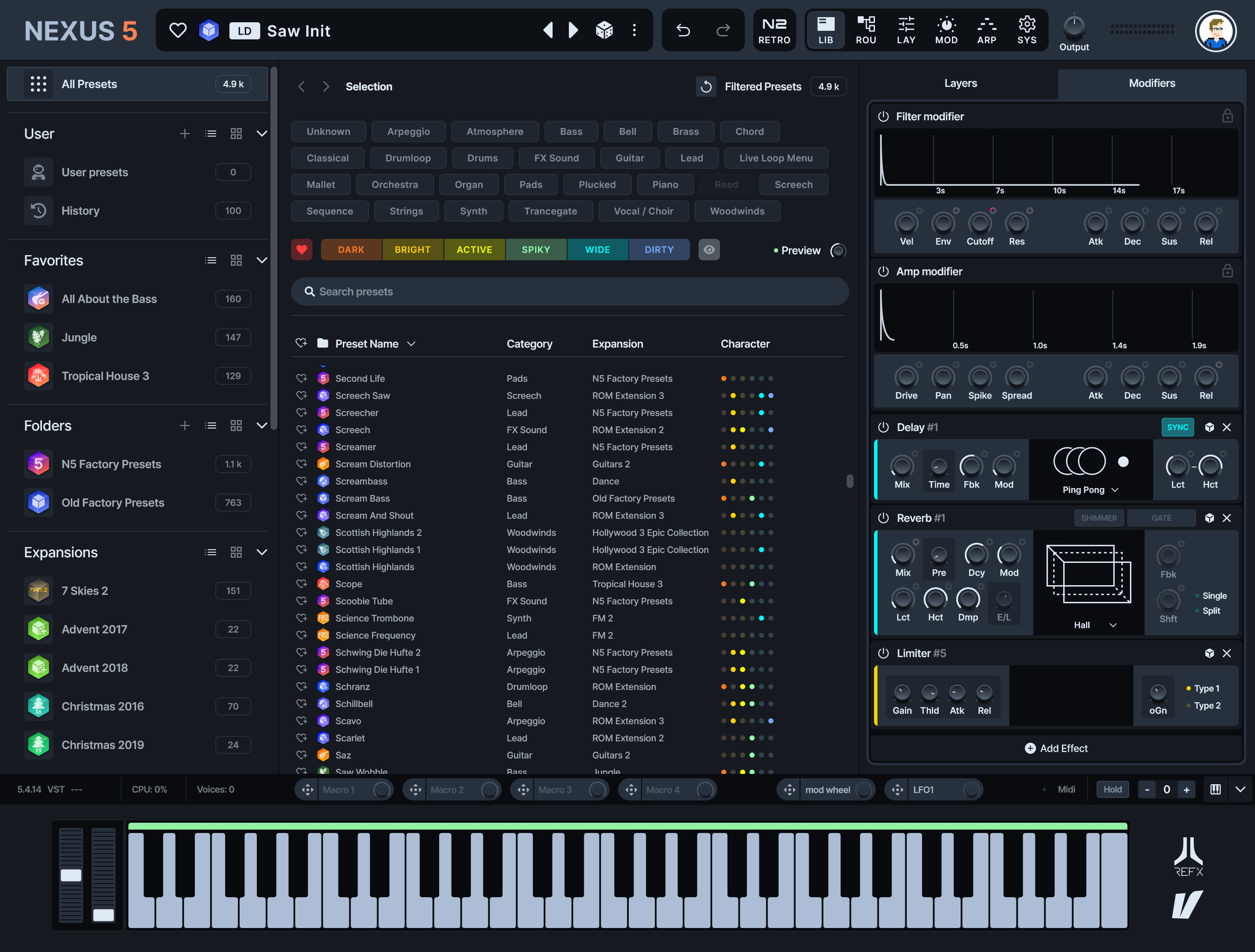
Nexus is one of the plugins that has been with me for the longest time. I was already using it in my early years as a producer, and with its latest versions it has become an even more important part of my workflow.
For a long time I had the wrong idea about producers who had grown up working with analog synthesizers. I thought artists at that level designed absolutely every sound from scratch, and that using presets or libraries was a shortcut reserved for producers with less knowledge.
That perception changed when I had the opportunity to be in the studio with Ferry Corsten.
I discovered that a producer with his experience also takes advantage of technology, presets and the quality of modern tools. Ferry uses Nexus in his productions. For example, the supersaw from “Anahera” by Gouryella comes from Nexus.
The lesson was important: the value of a producer is not measured by creating every waveform from zero, but by the ability to choose a sound, transform it when necessary and place it inside a song in a way that creates emotion.
Nexus 5 fits perfectly with that philosophy. Its standard edition currently includes thousands of presets and covers styles such as trance, melodic techno, house and EDM. It allows you to find quality sounds very quickly, but also to modify them through filters, effects, layers, arpeggiators and modulation tools.
What I value most is speed. When I am developing an idea, I do not want to lose the inspiration by browsing for an hour or designing a sound that I may end up discarding. Nexus lets me try possibilities, move forward and stay connected to the song.
For me, it is a ten.
2. SERUM 2
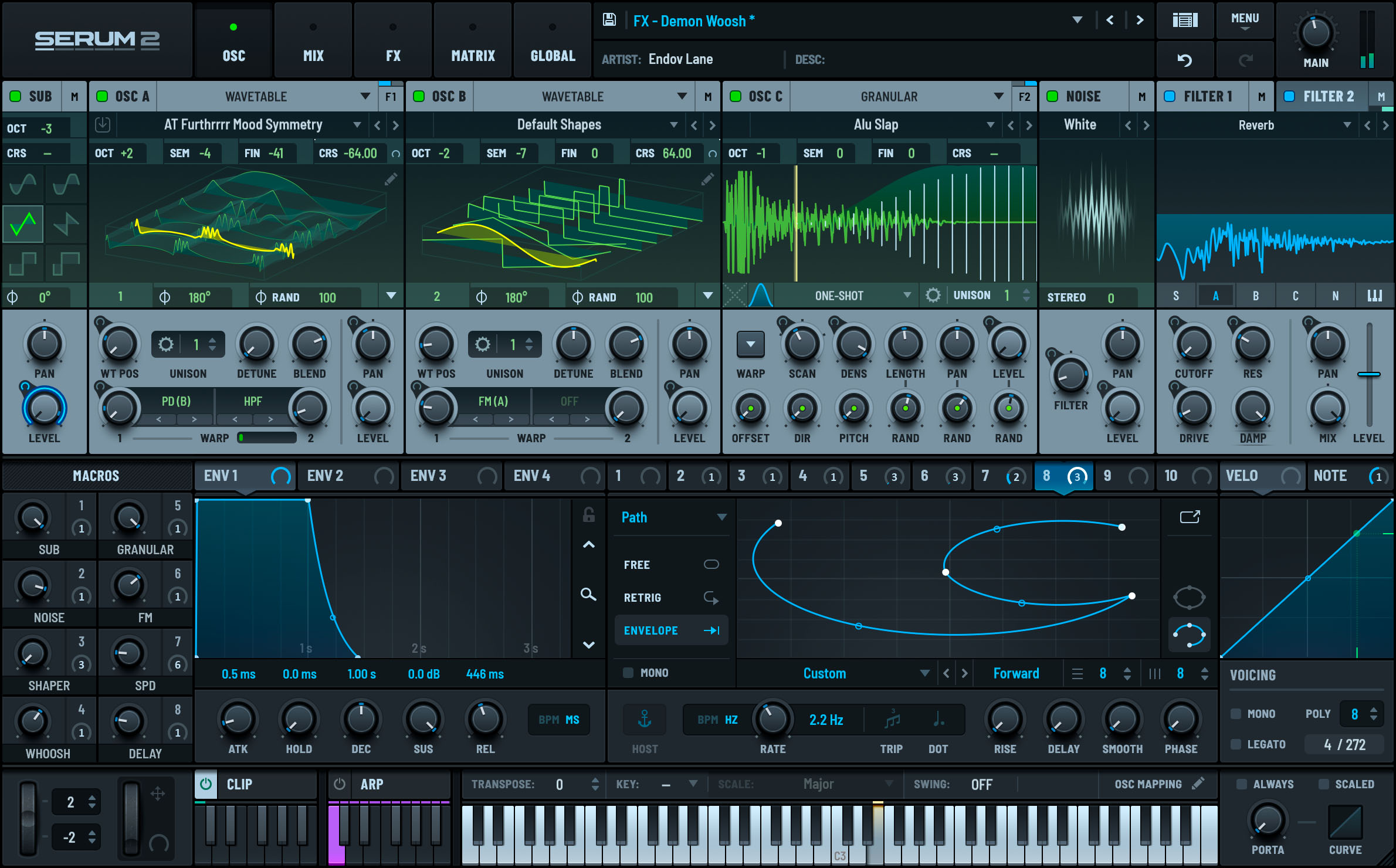
Serum has been one of the most used synthesizers in electronic music for years, and Serum 2 has expanded its possibilities even further.
It is a very versatile synthesizer, with a visual interface and a logic that is relatively easy to understand. You can use it to load a preset and change a few parameters, but you can also go much deeper into synthesis, modulation, wavetables, samples and sound design.
One of its biggest advantages is the huge number of libraries available. There are high-quality banks for trance, melodic techno and progressive, three styles that share many types of sounds and currently cross over quite often.
I use it mainly for three reasons:
It has a powerful and modern sound.
It is comfortable and fast to work with.
It can cover very different functions inside a production.
With Serum 2 you can create basses, leads, plucks, pads, sequences, effects and much more experimental sounds. Its visual system also makes it easier to understand what is happening with modulation, which is especially useful when you want to adapt a preset to your track.
It is one of those tools that can grow with you. You can start by using libraries and, as you learn synthesis, turn it into a much deeper instrument.
3. ARTSACOUSTIC REVERB
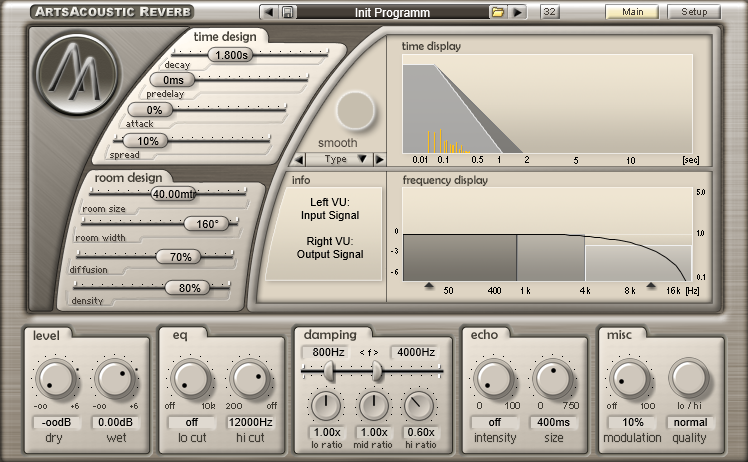
ArtsAcoustic Reverb is probably the oldest plugin on this list, and one of the plugins with the most personal connection to my sound.
I have used it for almost my entire career. It is an algorithmic reverb with an interface that may look outdated today, but it has always given me a clean, musical result that is very easy to integrate into my productions.
I use it because I know its response perfectly. I know how it will behave on a lead, a pluck or certain melodic elements without having to start from zero. That familiarity has enormous value inside a professional workflow.
You do not always need the newest plugin. Sometimes you need a tool you know so well that you can make decisions almost automatically.
ArtsAcoustic Reverb still appears on the official website, but its shop currently marks it as unavailable. It is a veteran product, and compatibility can become a problem in modern systems and DAWs. In fact, it started giving me some errors in FL Studio.
So although it is still one of my favorite reverbs, I have had to look for more current alternatives.
4. VALHALLA VINTAGEVERB AND THE VALHALLA REVERBS
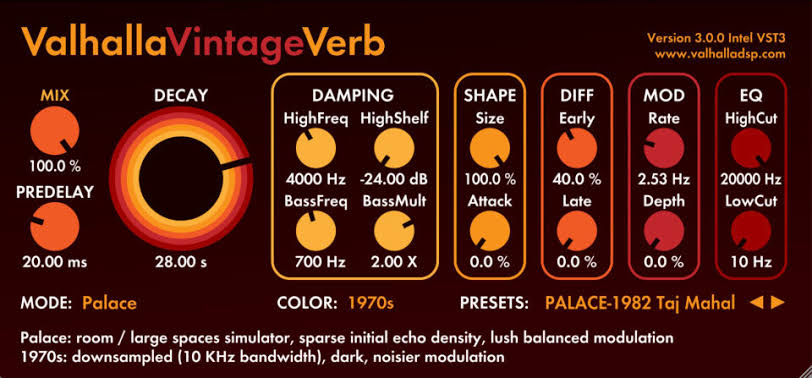
My main replacement for ArtsAcoustic has been the Valhalla DSP reverb family, especially Valhalla VintageVerb.
VintageVerb is inspired by the character of classic digital reverb processors from the seventies and eighties. It includes different algorithms and color modes, so it can go from clean and controlled spaces to much denser tails with more personality.
What I like about Valhalla is that it keeps a very direct philosophy. The interfaces are clear, the important parameters are visible, and you can quickly reach the type of space you are looking for.
For trance, progressive or melodic techno, reverb is an essential part of depth and emotion. Leads, pads and plucks need space, but that space cannot destroy the clarity of the mix.
VintageVerb allows me to find that balance while working with a modern, stable plugin that is compatible with my current system.
I do not use Valhalla because I stopped liking ArtsAcoustic. I use it because a professional workflow also needs reliable and updated tools.
5. FABFILTER PRO-Q 4
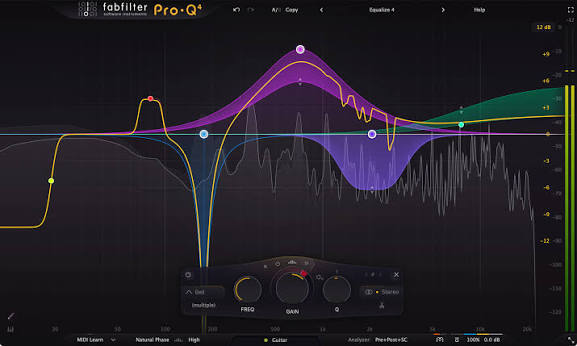
If I had to choose one equalizer to use in almost any situation, it would be FabFilter Pro-Q 4.
It is one of the most versatile plugins in my collection and it appears constantly in my projects. I use it to clean problem frequencies, make cuts, shape the tone of an instrument and control how a sound occupies the stereo field.
It allows you to create a large number of bands and use many different filter types:
Low cut and high cut.
Low shelf and high shelf.
Bell.
Notch.
Dynamic and spectral EQ.
You can also process each band in stereo, mid, side, left or right. This makes it possible to be very precise when a problem is not present in the whole signal.
For example, you can remove a frequency only from the sides, control a resonance in the left channel or preserve the central body of a sound while cleaning its stereo information.
All of this could feel complicated in another interface, but Pro-Q 4 is extremely visual. The analyzer helps locate problems and the way you create, move and modify bands makes the process fast.
It does not replace ear training: decisions still have to be made with your ears. But its design lets you execute those decisions with precision without slowing down the workflow.
6. FABFILTER PRO-C 2
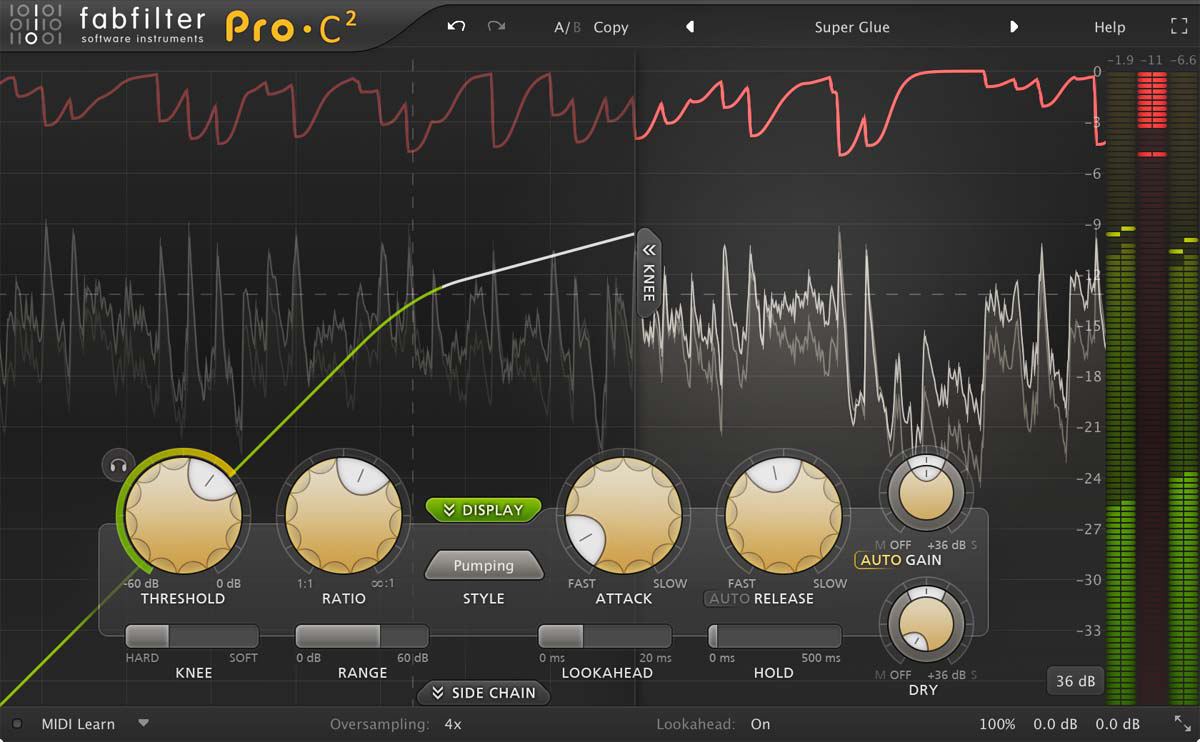
Another essential plugin for me is FabFilter Pro-C 2.
FabFilter already has Pro-C 3, but I still use Pro-C 2 because it is the version I know and it continues to solve my needs perfectly. Updating a plugin is not mandatory if the current tool works, is stable and gives you the result you need.
Pro-C 2 is a flexible and very visual compressor. You can clearly see when compression begins, how much gain reduction you are applying and how the sound reacts.
I mainly use it to:
Compress basses.
Apply parallel compression to percussion.
Control bass buses.
Add cohesion to lead groups.
Create sidechain when the project needs it.
On buses I usually look for small amounts of control and cohesion, not to crush all the dynamics. On parallel percussion I can use much more aggressive compression and then blend the processed signal with the original.
Its interface makes it easier to understand both processes and make decisions quickly.
7. ENDLESS SMILE
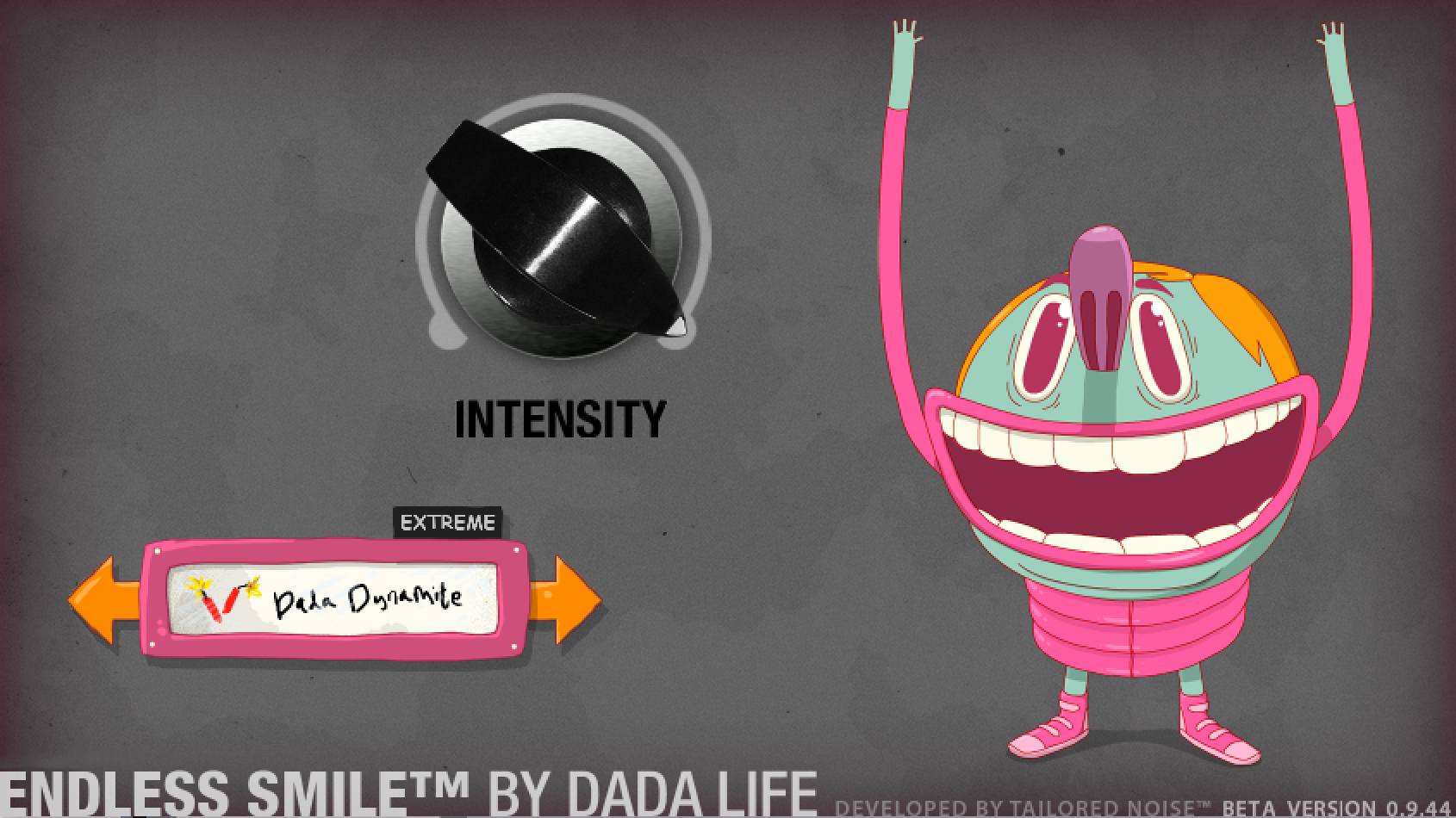
Endless Smile, created by Dada Life, is one of the simplest plugins on this list. It is also one of the most effective for one very specific function: creating tension during a buildup or break before the drop.
Its operation is based on one large central control. As you increase the effect, the plugin combines different processes to raise the intensity and create a sense of movement.
Instead of building several automation chains every time with reverb, filters, delays and other effects, you can quickly get a musical result and then decide how much presence you want it to have.
That does not mean it should be placed in every break or always pushed to the maximum. As with any recognizable effect, using it without control can make every transition sound the same.
But when I need to quickly test whether a section needs more tension, Endless Smile is a fantastic tool.
It is not a free plugin in its current official offer, as is sometimes claimed online. It is a commercial product by Dada Life.
8. SPIRE
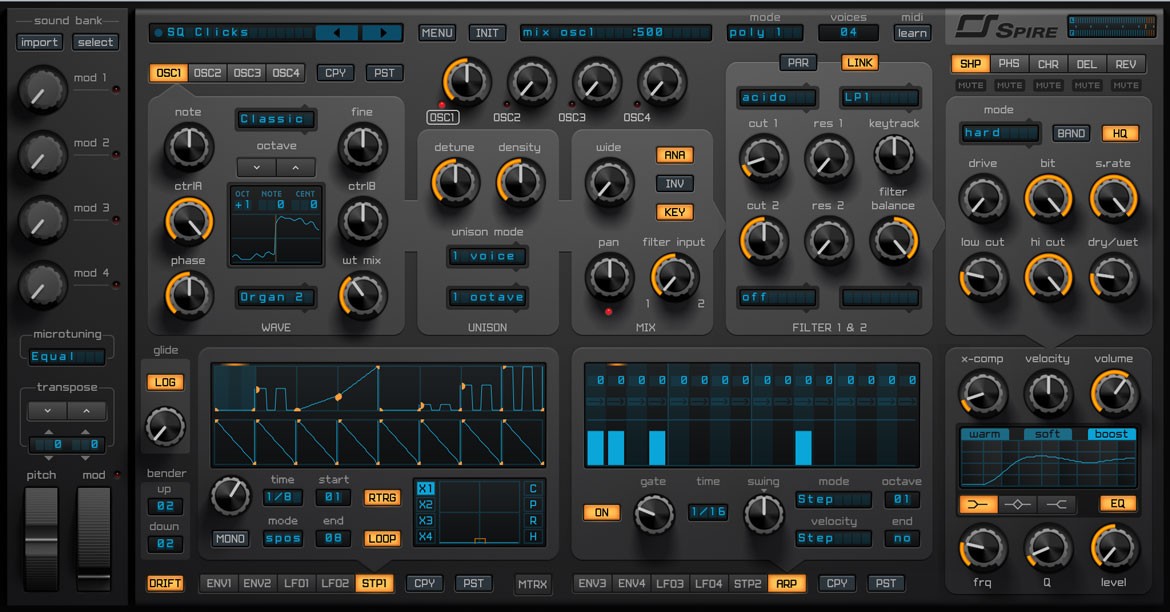
Spire, by Reveal Sound, has been one of my main synthesizers for many years. Almost all the supersaws in my productions start from Spire.
It has a very recognizable character: big, bright and especially suitable for leads, plucks, pads and trance sounds. At the same time, there are libraries for progressive, house, techno and other electronic music styles.
I consider it an inspiring plugin. When I browse third-party banks, I find sounds that do not only help me execute an idea I already had, but can also trigger a new idea.
It is also quite simple to use. You can quickly reach a good result through presets, but you still have access to oscillators, filters, envelopes, modulation and enough effects to adapt the sound to the context.
In older versions I had some issues, but the more recent versions I use are stable inside my system. That has allowed me to keep it as one of my trusted tools.
For trance, it is still one of my essential plugins.
9. SOUNDGOODIZER
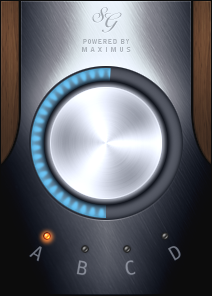
Soundgoodizer is one of the most famous native plugins in FL Studio, and also one of the most discussed.
Its interface could not be simpler: four modes and one large control. Internally it uses presets from the Maximus engine, combining multiband processing and a mix between the original signal and the compressed signal.
In practice, it can add density, presence, color and a sense of loudness with very few moves. You do not need to open a complex processor or adjust a large number of parameters.
I have used it a lot because it has a particular color that works very well on certain sounds and groups. It is one of those plugins you know by reaction: you insert it, choose a mode, move the knob and quickly know whether it is improving the sound or not.
With my move from FL Studio to Ableton, it is one of the tools I miss the most, because Soundgoodizer belongs to the FL Studio ecosystem and I cannot use it as a conventional plugin inside Ableton.
As an alternative I am using Roar, the saturation and coloration device in Ableton Live 12. Roar is much deeper: it offers several saturation stages, different routing options, filters, compression and modulation. However, I still do not have the same familiarity with it, and I cannot reproduce exactly the immediacy and color of Soundgoodizer.
I would love to have Soundgoodizer directly inside Ableton.
10. DIVA
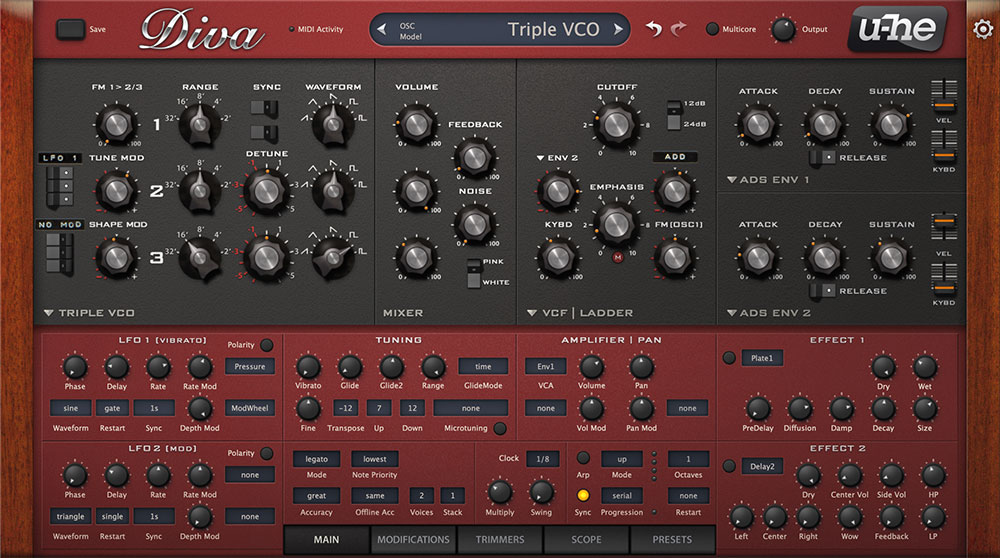
The final plugin on the list is Diva, by u-he.
Diva aims to capture the spirit and behavior of several generations of analog synthesizers. It lets you combine oscillator, filter and envelope models inspired by classic instruments to build different configurations.
Its sound is clean, deep and has a very convincing analog character. I use it especially for plucks, melodic techno, progressive and certain trance sounds.
It is more complex than Nexus, Spire or even Serum when you want to go deep into its architecture. It is not always the plugin I reach for when I need to find a sound in a few seconds.
But when I want a tone with more personality, warmth and analog feeling, it is worth spending time with it.
It also has a large number of libraries available, which allows you to use it in a more immediate way and later study how the presets are built. That combination of depth and third-party content makes it a very valuable tool in my collection.
DO YOU NEED ALL OF THESE PLUGINS?
No.
This list reflects my workflow after more than two decades producing music. Each plugin arrived at a different moment and stayed because it solves a specific need.
If you are starting out, you do not need to buy ten tools at once. First choose a synthesizer that feels comfortable, learn the native effects in your DAW properly and add plugins only when you understand what problem you need to solve.
A smaller selection has several advantages:
You learn faster how each tool responds.
You make decisions without getting lost in hundreds of options.
You keep your projects more organized.
You avoid confusing buying plugins with becoming a better producer.
Nexus, Serum, Spire and Diva can share some functions, but I use each of them for different reasons. The same happens with ArtsAcoustic and Valhalla: both are reverbs, but their sound, response and my relationship with them are not identical.
The question should not be how many plugins you have, but how many you truly know.
FINAL WORDS
My favorite plugins are not necessarily the newest or the most complex. Some have been with me for almost my entire career. Others arrived more recently because my workflow, my DAW or my needs changed.
What they all have in common is that they allow me to work with speed, confidence and inspiration.
Nexus 5 helps me turn ideas into sounds immediately. Serum 2, Spire and Diva cover different forms of synthesis and different characters. ArtsAcoustic and Valhalla create the space. Pro-Q 4 and Pro-C 2 let me control the mix. Endless Smile solves transitions. Soundgoodizer adds a color that I still miss inside Ableton.
Tools evolve, but taste and judgment are still the most important things. Learn to hear what your song needs and use the plugin that helps you reach the result without breaking the creative process.
If you want to see how I use these tools inside real productions, on my Patreon I share workflow videos, walkthroughs, sample packs, FL Studio and Ableton templates and personalized feedback for producers.
Real knowledge. Real experience. No shortcuts.